Workflows
A workflow is a DAG-based data pipeline where you define a series of tasks with dependencies between them. Datatailr automatically determines which tasks can run in parallel based on their dependencies, making your pipelines faster without extra effort.
Workflows are the most common type of compute process. They are ideal for batch data processing — ETL pipelines, ML model training, report generation, and any workload that has a defined start and end.
How It Works
You define a workflow using the @workflow and @task decorators. Each function decorated with @task becomes a node in the pipeline graph. When one task's output is passed as input to another, Datatailr creates a dependency edge between them. Independent tasks run in parallel automatically.
from datatailr import workflow, task

@task()
def fetch_data():
    return {"sales": [100, 200, 150]}

@task()
def calculate_total(data):
    return sum(data["sales"])

@workflow(name="daily_sales_report")
def sales_pipeline():
    data = fetch_data()
    total = calculate_total(data)
When deployed, this creates the following execution graph:
fetch_data runs first, and once it completes, its result is automatically passed to calculate_total.
Key Features
- Automatic parallelism — Independent tasks run simultaneously without any configuration.
- Scheduling — Workflows can run on a schedule (e.g., daily, hourly) or be triggered manually.
- Local testing — Run workflows locally before deploying by passing
local_run=True. - Fault tolerance — Failed tasks report detailed logs. You can fix and re-run without restarting the entire pipeline.
- Task aliasing — Use
.alias()to give distinct names when the same task function is invoked multiple times.
Building Complex Pipelines
More complex workflows are built using simple function composition:
@task()
def get_number():
    return 42

@task()
def add(a, b):
    return a + b

@task()
def reduce_list(*numbers):
    return sum(numbers)

@workflow("Complex Pipeline")
def complex_pipeline():
    total_1 = add(get_number().alias("my_number"), 13).alias("first_addition")
    total_2 = reduce_list(*[get_number().alias(f"num_{i}") for i in range(5)])
    add(total_2, 1).alias("add_one")
    add(total_2, 2).alias("add_two")
    add(total_2, 3).alias("add_three")
This generates the following graph, where num_0 through num_4 all run in parallel:
Deploying a Workflow
Run your workflow script to deploy it to Datatailr:
python my_workflow.py
Datatailr packages your code into a container image, builds it, and schedules it for execution. You can monitor the workflow from the dashboard or the CLI:
dt job ls              # List all compute processes
dt job get my_workflow # View workflow details
dt log read my_workflow # Read workflow logs
Managing in the Dashboard
Navigate to Compute Processes and select the Workflows tab to see all your workflows. The view shows the workflow name, number of tasks, current state, schedule, and a visual history of the last 10 runs along with a weekly activity heatmap.

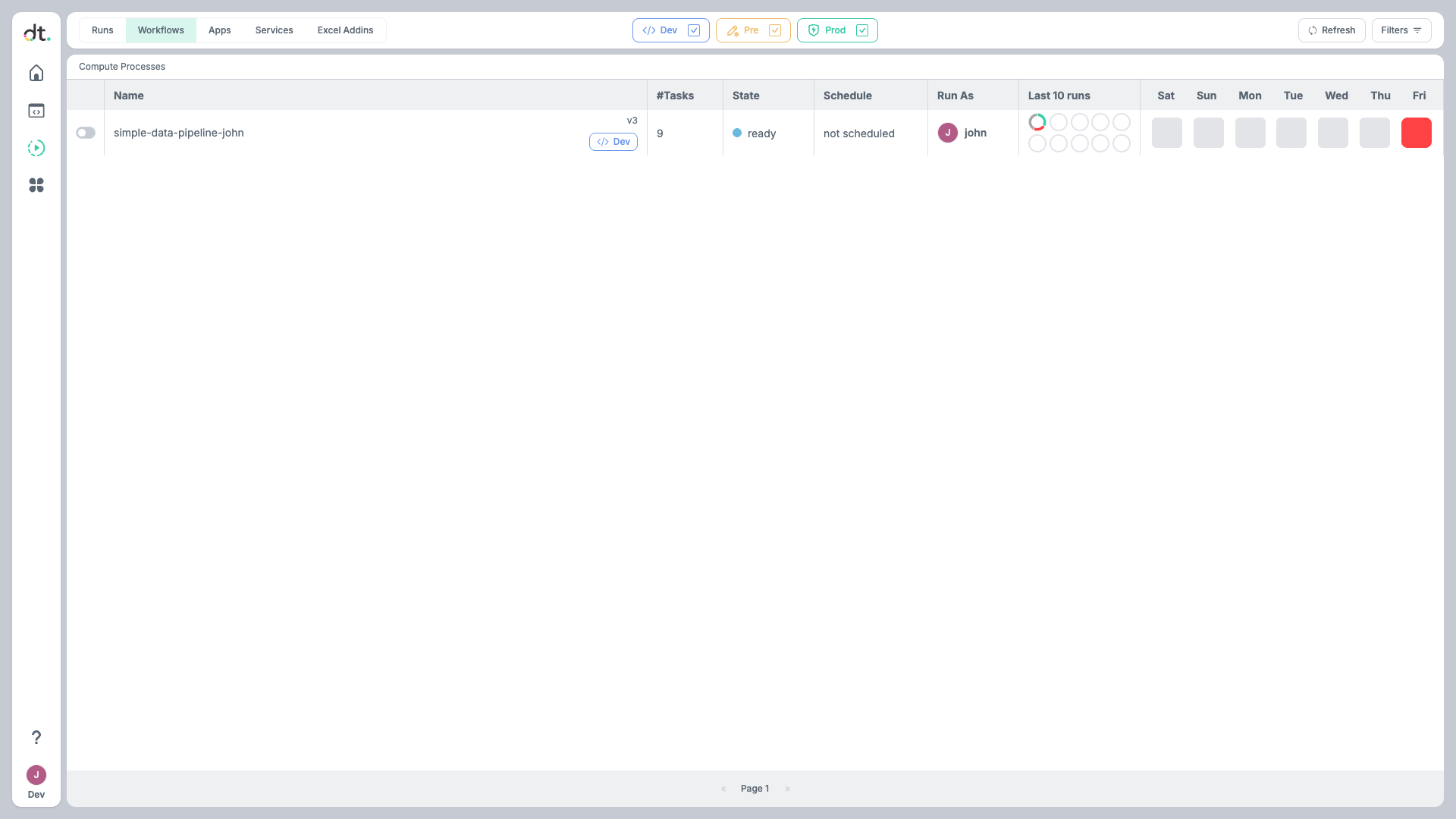
Click on any workflow to view its DAG graph, run history, logs, and definition details.
Task Arguments
On datatailr each task is executed in a container but from the perspective of the workflow function, the tasks are regular Python functions. This means that you can pass arguments to the tasks just like you would with any other Python function. The return value of the task is automatically passed to the next task in the workflow as an argument. In addition, the return values are cached and indexed for future use. There are two uses for the cached results: 1. Having the results cached allows you to re-run the workflow from a specific task without having to re-run all the tasks that came before it. 2. The results can be accessed and used in other workflows, services or apps.
Workflow Results Explorer
One particularly useful feature of the workflow results is the ability to explore them in a Jupyter notebook. This is done by using the %dt_runs magic command.
Running this command in a Jupyter notebook will open a widget that allows you to explore the results of the workflow.
%dt_runs                         # load the widget without a specific workflow selected
%dt_runs my-workflow             # load the widget with the specific workflow selected
%dt_runs my-workflow --env prod  # load the widget with the specific workflow selected in the prod environment
%dt_runs --env pre               # load the widget with the dropdown showing the pre environment
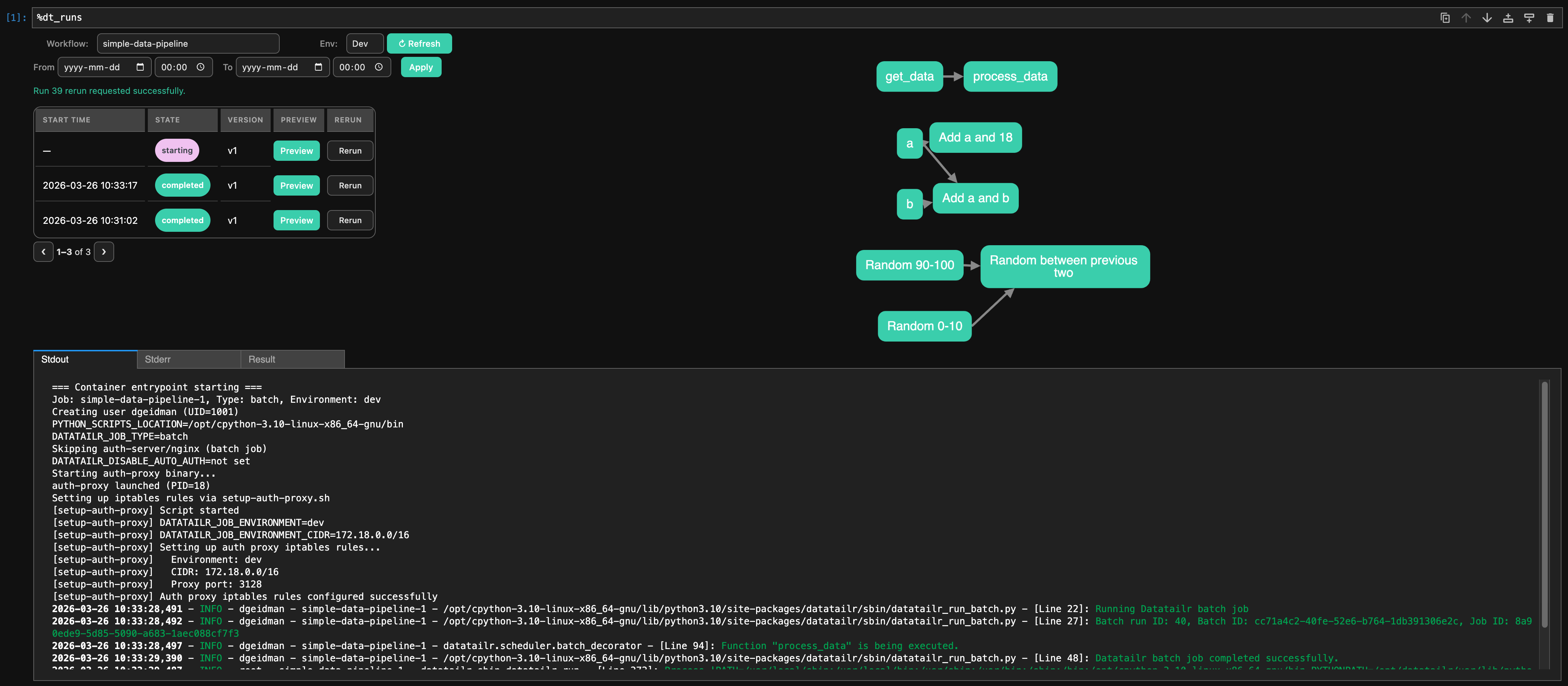
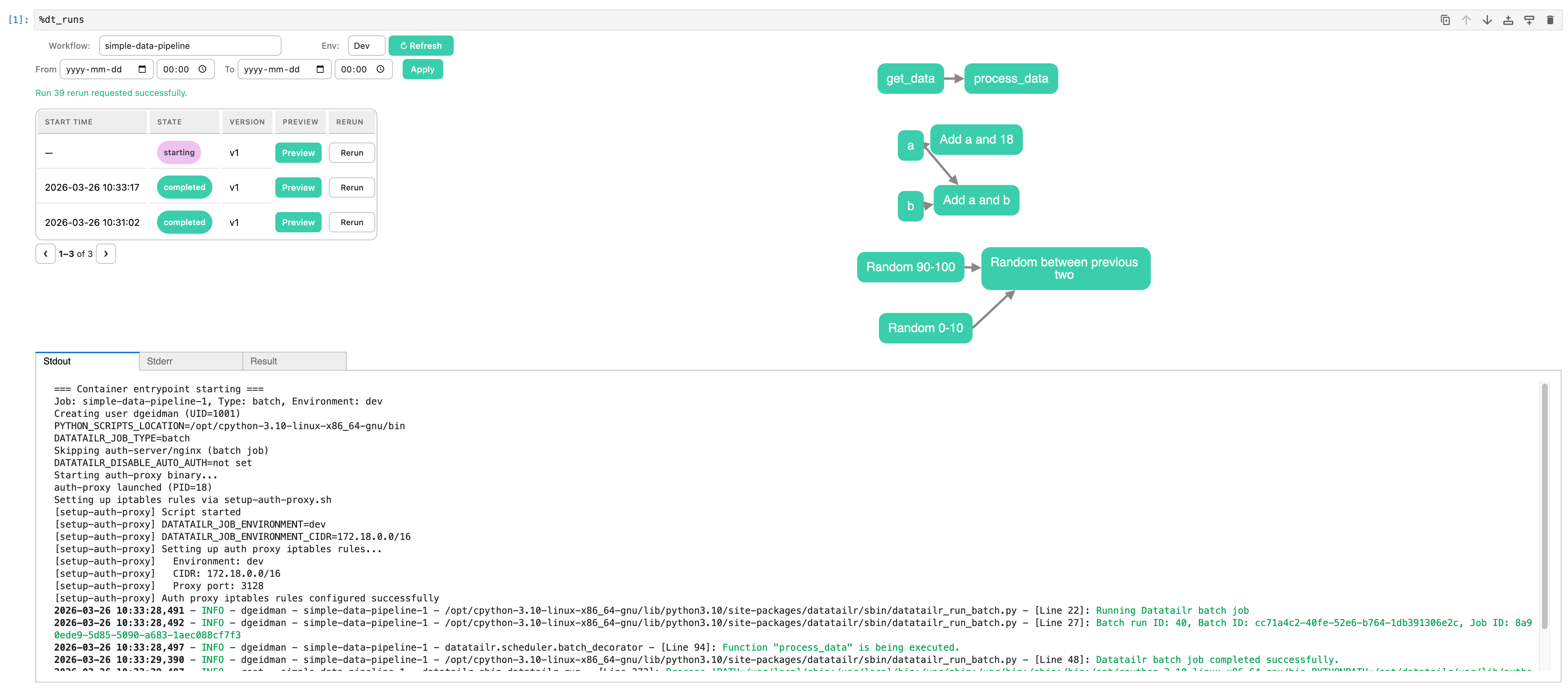
The widget allows you to:
- Select a workflow from the dropdown
- Select an environment from the dropdown
- Select a date and time range to filter the runs
- Rerun a specific run from the run table using the Rerun action
- Confirm rerun options in a popup, including optional
version(integer image version) andfull(full rerun toggle) - View the results of the workflow in a graph format
- View the logs of each task run
- View the return value of each task run and load it into a Jupyter notebook cell